
How to log in to the Knitting & Crochet Guild website
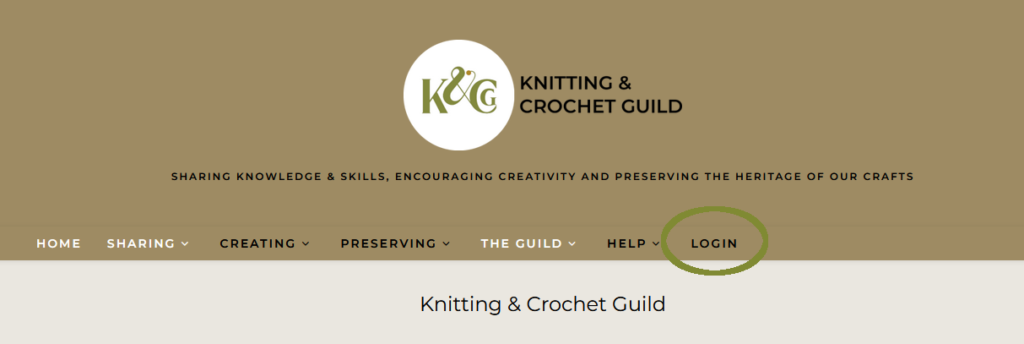
If you are not already logged in, you should see a “LOGIN” menu item in the top banner on every page of the website (highlighted with a green ellipse in the screenshot).

If you cannot see the menu, it is probably because you are using a narrow screen. The menu is represented by the three horizontal lines.
Click on those to reveal the menu as a vertical list – you may need to scroll down to see the LOGIN option.
Select “Login”
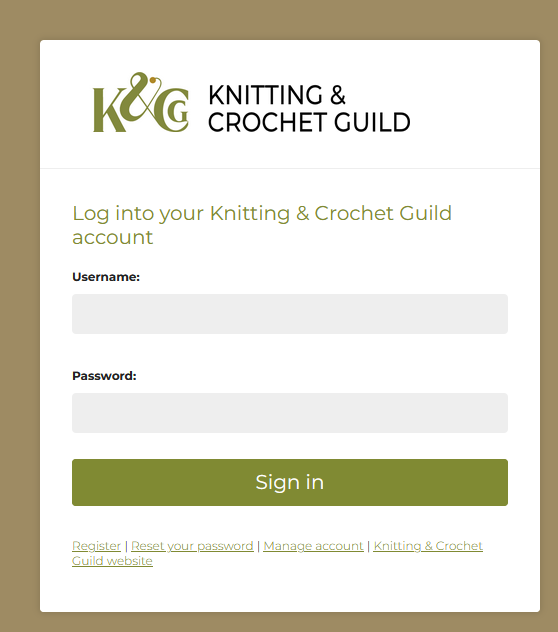
After you have selected Login, you should see a page asking you to login using the same email address and password as for Sheep. If you have forgotten your password, you can use the link at the bottom of the screen to reset it.
After you press “Sign in”, Sheep checks that your email address and password match.
Your browser may ask if you want it to remember your login details. It is safe to do this if you are using your own device, but decline the offer if you are using a public device.
Nearly there!
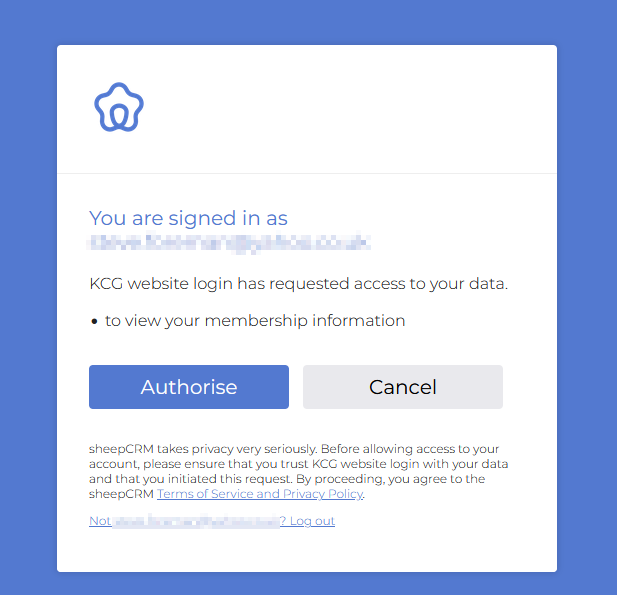
You now need to tell Sheep that you allow it to tell the website whether you are a member or not.
Press Authorise to continue to the website. Sheep then tells the website to log you in and whether you are a member.
You will be taken to the home page of the website, where you should see your email address at the top of the page.
Logging off
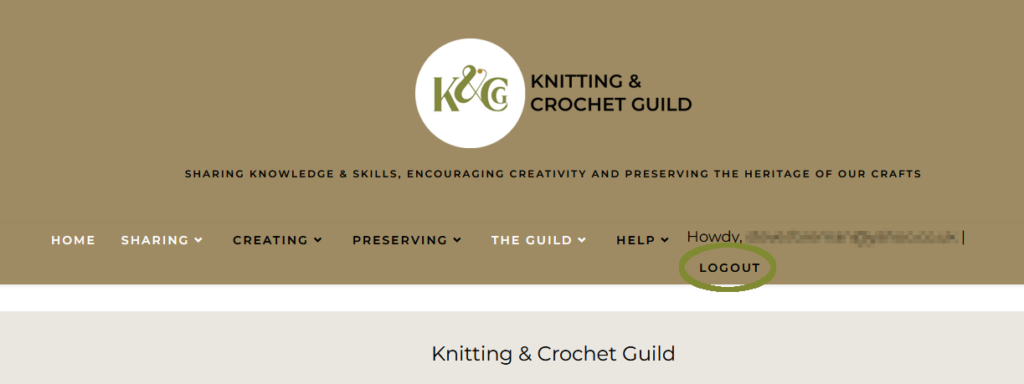
You should always logout from the website after using a public computer.
Use the “LOGOUT” option in the top banner of any page. this logs you out from the website.
Make sure that you also log out from Sheep by pressing “LOGIN” and then logging out on the next screen.
Finally, close the browser.
You will be logged out automatically if you shut down your device or close your browser.
What if I do not have access to Sheep?
If you have chosen not to manage your membership using Sheep, please ask the web team to set up an “assisted membership confirmation” for you.
What if you cannot login from the main menu?
Click here if you pressed “Authorise” but did not see your email address on the home page or member-only information on other pages.
The usual cause for not seeing your email address after logging on, or not seeing member-only information on other pages is that your browser has kept a local copy of the page and is showing that to you.
Refreshing the page (usually the “referesh circular arrow” in the browser address bar, f5 on a PC, or pulling down on the page on a phone/tablet).
Click here if you refreshed the home page and are still shown as not logged in.
Please use your browser settings to “clear files”. This will force your browser to fetch an up-to-date copy of the web page.
Click here if you have tried the above but still cannot see your email address on the home page or member-only information.
There may be a temporary technical issue of communication between the website and our Sheep membership system. Please try again later.
If the problem continues, please tell webmaster@kcguild.org.uk because there may be an underlying technical issue that we are unaware of.
Click here if you use “assisted membership confirmation” or have been told to use a “local login”
You should only be reading this section if you have tried several times to login using the LOGIN at the top of the page unsuccessfully, or if you use “assisted membership confirmation”.
Using the LOGIN in the menu at the top of the page means you only need to remember one password that wordk for both the website and Sheep, our membership system. The website does not keep any records about this password, and uses the more secure Sheep system to log you in to the website.
Sometimes, technical issues prevent the website interacting with Sheep. You can use a local login to see member-only information. You must use the same email address as you to for Sheep – the email is how we can recognise you as a member.
If you forget the password you set up for a “local login” to the website, you will need to use the “Reset password” option to set your password.
You cannot reset your password yourself if you use “assisted membership confirmation” – in this case you will need to ask the membership team to give you a new password.
If you have never logged in using the “LOGIN” at the top of the page, you will need to register before you can use the “local login”. You must use the same email address as you use for your membership, and your password should be 8 or more characters long, with at least one of each of number, lower case letter, upper case letter and special character.